Category: Money in the Modern World

  • When a Discount Ends: Decode a Phone or Internet Bill

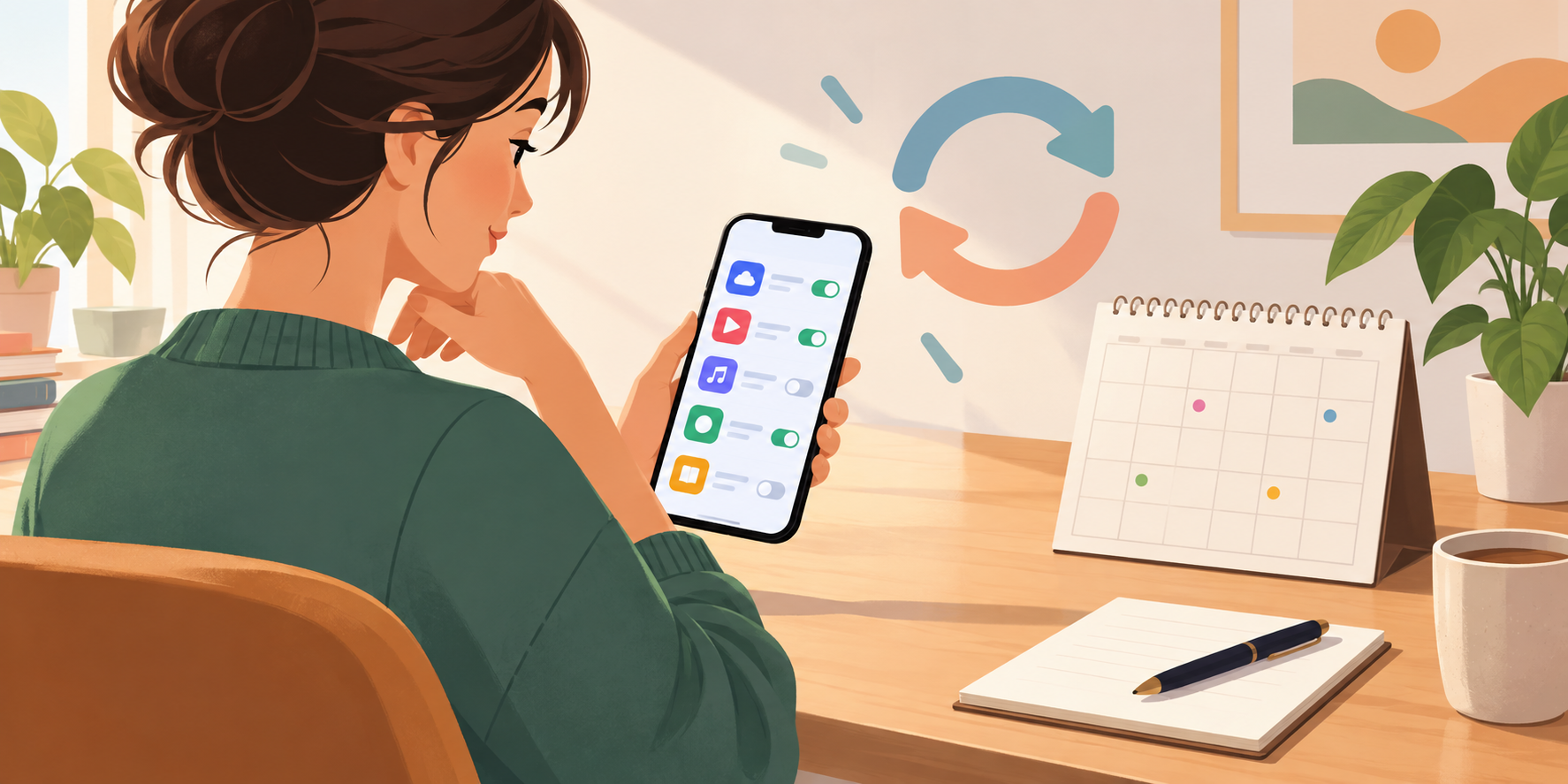
    When a Discount Ends: Decode a Phone or Internet Bill

    A phone or internet bill can change even when you have not changed the plan. A joining discount can finish, data use can exceed a limit or a billing cycle can make two dates look closer together than expected. The answer is not to panic at the total. Read the bill as a set of rules and dates.

    Find the four moving parts

    1. Base plan: the regular service and its normal price.
    2. Promotion: a discount or bonus with an end date.
    3. Usage: extra data, calls, texts or overseas use.
    4. Billing cycle: the period the bill covers and the date payment is due.

    Consumer Protection’s unexpected-charges guidance specifically warns about overseas use, going over data or minutes, charges outside a plan and expired discounts. That is a useful checklist for a real bill or a fictional classroom example.

    Use a calm bill-reading routine

    First compare this bill with the previous one. Circle every line that is different. Next find the explanation: a promotion ending, a usage amount, a one-off fee or a change in the billing period. Finally write one question in plain language, such as “When did the discount finish?” or “What would the plan cost if we used the same amount next month?”

    A bill is not a reason to share a password or click a surprise payment link. Open the provider’s official app or website yourself, or use the contact details on an earlier bill. Keep the account holder’s private information out of a family or class discussion.

    Decide what happens next

    If the charge is correct but the plan no longer suits you, compare the ongoing cost with another plan and check contract terms before switching. If the charge looks wrong, contact the provider, explain the line you are questioning and record the date and response. Consumer Protection says to speak to the provider first and notes that a dispute-resolution service may help in some telecommunications complaints.

    For a classroom simulation, give teams two fictional bills: one where a discount ends and one where data use exceeds the limit. Ask students to calculate the difference, identify the cause and draft a short, polite question. This turns a modern money problem into a reading and reasoning exercise.

    Make the next bill less surprising

    Save the promotion end date, set a usage alert if the provider offers one and review the plan when a household changes. The best bill habit is not memorising every fee. It is knowing where the important dates and limits live.

    FAQs

    Why can a bill rise without a new purchase?

    A promotion may have ended, usage may have exceeded a limit, or the bill may include a charge outside the base plan.

    What is a billing cycle?

    It is the period of service covered by the bill, with a due date for payment.

    What should I do with an unexplained charge?

    Compare it with earlier bills, then contact the provider through an official channel and keep a record of the conversation.

    Is an https website automatically trustworthy?

    No. It can protect data in transit, but it does not prove that the seller or message is genuine.

    Can I change a phone or internet plan?

    You can ask about options, but check the plan terms, contract period and any fees before switching.

    How can a class practise this skill?

    Use fictional bills with one changed line and ask teams to find the cause, calculate the difference and write a question.


  • Marketplace or Business? Five Checks Before You Buy Second-Hand Online

    Marketplace or Business? Five Checks Before You Buy Second-Hand Online

    A second-hand bargain can be useful, but the seller’s status changes what protections may apply. A one-off private seller is not the same as a business or second-hand dealer. Before you send money, pause long enough to ask who is selling, what the listing promises and what evidence you will keep.

    Start with the seller, not the price

    Consumer Protection says private sales are generally not covered by the Consumer Guarantees Act or Fair Trading Act. If you buy from a business or second-hand dealer, different consumer guarantees may apply. A seller who appears on a marketplace is not automatically a private seller or automatically a business, so look at the pattern of activity, the seller’s description and any business details they provide.

    The official private-sales guidance explains that your rights depend on whether the seller is in trade or selling privately. It also suggests examining an item, asking about damage and keeping a receipt or record of what the seller said.

    Use a five-check pause

    1. Seller: Is this a person selling one item, or someone repeatedly selling goods as a business?
    2. Description: Save the listing and note the model, condition, age and anything promised.
    3. Questions: Ask about faults, missing parts, ownership and safe operation. Keep the reply.
    4. Inspection: If possible, see the item work or inspect it before paying. For safety-related goods, do not skip this step lightly.
    5. Payment and record: Agree the price and pickup or delivery terms, keep proof of payment and do not share more personal information than necessary.

    “As seen” does not mean “do not ask questions.” It means you should notice wear and accept that a private seller may not owe you the same remedy as a business. If a seller hides a serious fault, does not have the right to sell the item or misleads you, other legal rights may still be relevant. Get advice for a serious dispute rather than guessing.

    Make safety part of the value calculation

    A lower price is not a bargain if the item needs an expensive repair or cannot be safely used. Add likely transport, parts, cleaning and testing costs to the price before deciding. For a child’s equipment, electrical item, helmet or safety device, check condition and relevant safety information carefully. If the seller refuses reasonable questions or pushes you to pay immediately, treat that as information about the risk.

    If money has been sent in an online marketplace scam, Consumer Protection advises stopping contact with the scammer, contacting your bank or payment institution and reporting the scam to Cert. This is general information, not legal advice. A few saved messages and a clear seller check can make a later conversation easier.

    FAQs

    Does the CGA cover every marketplace purchase?

    No. Consumer Protection says private sales are generally not covered by the Consumer Guarantees Act. Rights can differ when the seller is a business or in trade.

    How can I tell whether a seller is in trade?

    Look at the pattern of selling, business details and how the seller describes the transaction. If unsure, ask questions and seek advice.

    Why save the listing?

    The listing records the description, condition and promises that influenced your decision.

    Should I inspect a second-hand item?

    Yes, if possible. Examine it, ask about faults and test important functions before paying.

    What if a private seller hid a serious fault?

    Private-sale rights are limited, but Consumer Protection says rights may still exist if the seller misled you, lacked the right to sell or sold something seriously faulty or unsafe.

    What should I do after a marketplace scam?

    Stop contact, contact your bank or payment institution promptly and report the scam to Cert, following the official guidance.

  • New Zealand’s Depositor Compensation Scheme: What Families Should Know

    New Zealand’s Depositor Compensation Scheme: What Families Should Know

    New Zealand’s Depositor Compensation Scheme (DCS) is a safety net for certain deposits if a deposit taker fails. It began on 1 July 2025. The Reserve Bank of New Zealand says eligible depositors can be compensated up to $100,000 when their money is in a DCS-protected account. The important word is “eligible”: the scheme does not cover every financial product or every kind of loss.

    The limit is per person, per deposit taker

    The $100,000 limit is not a separate allowance for each account. If one person has an eligible transaction account and savings account with the same deposit taker, the balances count together for the limit. The Reserve Bank’s examples show the scheme working on a per-depositor, per-deposit-taker basis. If someone has eligible deposits with two different deposit takers, the limit can apply separately at each one.

    For example, if a person has $3,000 in a transaction account and $500 in a term deposit with the same deposit taker, the Reserve Bank’s example says those eligible amounts are considered together. That is a simplified illustration; joint accounts, trusts, businesses and account ownership can change the calculation. Check the Reserve Bank’s coverage scenarios for details rather than relying on a quick rule of thumb.

    Check the product, not just the provider name

    Some transaction, savings, notice and term-deposit accounts may be protected, but the Reserve Bank says to check the deposit taker’s own list of DCS-protected deposits. The scheme does not cover every product. Its guidance lists bonds and other tradable products, KiwiSaver and other managed investment schemes, and foreign-currency accounts among the exclusions. Money lost through scams, fraud or hacking is also not covered by the DCS.

    That means the DCS is not general insurance for all money or investment risk. It is specifically about eligible deposits if a covered deposit taker fails. If an account is offered through a finance app or fintech, do not assume the app itself is the deposit taker; check which institution holds the funds and whether the arrangement is protected.

    A quick family check

    1. Write down the provider and exact product name for each savings account.
    2. Check the Reserve Bank’s list and the provider’s page for that specific product.
    3. For money held in a child’s account, confirm whose name the account is in; the Reserve Bank says children’s accounts receive the same protection when eligible, with the limit applying across protected accounts in their name.
    4. Ask the provider if ownership, trust or fintech arrangements make the answer unclear.

    The Reserve Bank’s DCS coverage guide has current exclusions and account details. This article is general financial literacy, not a recommendation about where to place savings or a guarantee that any particular account qualifies. Verify the provider and product before making a decision.

    FAQs

    When did New Zealand’s DCS start?

    The Reserve Bank says the Depositor Compensation Scheme came into place on 1 July 2025.

    How much can the scheme cover?

    It can compensate an eligible depositor up to $100,000 if a deposit taker fails and the money is in a DCS-protected account.

    Is the limit per account?

    No. The Reserve Bank describes the limit as per depositor, per deposit taker, so eligible accounts with the same provider are considered together.

    Are all savings products protected?

    No. Check the specific product against the deposit taker’s protected-deposit list and the Reserve Bank’s current guidance.

    Does the DCS cover money stolen in a scam?

    No. The Reserve Bank says losses caused by scams, fraud or hacking are not covered by the DCS.

    Are children’s accounts covered?

    They can be covered like other eligible depositor accounts. The Reserve Bank says the limit applies across protected accounts held in the child’s name.

  • Gift Cards in 2026: Check the Terms, Balance and Fees

    Gift Cards in 2026: Check the Terms, Balance and Fees

    A gift card can feel almost like cash, but it comes with conditions. Before buying one—or putting it in a drawer—check where it works, when it expires and whether using it costs anything. A few seconds with the terms and receipt can prevent a small present from becoming an awkward surprise later.

    Know which kind of card you have

    A store gift voucher is usually a promise that a retailer will accept it for goods or services. A pre-loaded payment card may work across more places, but it can have fees for purchase, use, inactivity or replacement. The rules and costs are not automatically the same, so read the card packaging or provider’s terms rather than relying on the word “gift”.

    New Zealand’s Consumer Protection guidance says a new law took effect in March 2026: newly issued gift cards cannot have an expiry date shorter than three years from the initial sale date. If a shorter date is printed, the guidance says that date is void and is treated as three years after sale. Check the issue or purchase date, and ask the retailer if you are unsure whether a specific card is covered. This rule does not mean every pre-loaded payment card has identical terms.

    Four checks before you pay

    • Where can it be used? Check eligible shops, websites, branches and exclusions. A card accepted at one franchise may not work at another.
    • When does it expire? Record the date somewhere you will see it. If there is no expiry date, the official guidance says it can be used whenever you want; if there is a valid expiry, a retailer may not have to accept it after that date.
    • Are there fees? Gift vouchers should not have extra fees, while some pre-loaded cards can charge fees. Read the provider’s current terms before purchasing.
    • What happens to the leftover balance? Electronic-card balances can generally be used on another date. Paper-voucher change depends on the terms and the remaining value.

    Keep a record and use it thoughtfully

    Save the receipt or transaction confirmation, especially for a higher-value card or an online purchase. If the card is lost, a retailer may not have to replace a voucher; a pre-loaded card may have a replacement process or fee. Keep the card number and proof of purchase somewhere safe, but do not post a photo of the code publicly.

    Once you receive a card, add a reminder before its expiry date and check the balance after each use. If you are buying for someone else, a card accepted at more than one shop may offer more flexibility. Consumer Protection’s gift voucher and pre-loaded card guide explains expiry, fees, lost cards and what to do if a retailer closes.

    Finally, treat the card as a spending choice, not a reason to buy something you do not want. If the recipient has a clear preference, a flexible option—or asking first—may be more useful than guessing. When a card does not work, contact the seller first, explain what outcome you want, and keep the purchase evidence to hand.

    FAQs

    What is the minimum expiry for a newly issued NZ gift card in 2026?

    Consumer Protection says the March 2026 law prevents newly issued gift cards from having an expiry shorter than three years from the initial sale date.

    Does that rule automatically cover every pre-loaded card?

    No. Gift vouchers and pre-loaded payment cards can have different features and fees. Check the specific product’s terms and ask the provider if coverage is unclear.

    Can a pre-loaded card have fees?

    Some can. Check for purchase, use, inactivity or replacement fees before paying.

    What should I keep after buying a card?

    Keep the receipt or transaction record and note the card’s terms and expiry details.

    What happens to an unused electronic balance?

    Consumer Protection says an electronic-card balance can be redeemed on another date, subject to the card’s terms.

    Who should I contact if a voucher is not accepted?

    Start with the retailer or seller where it was bought, explain the issue and say what solution you are seeking.

  • The Payment-Link Pause: Five Checks Before You Pay Online

    The Payment-Link Pause: Five Checks Before You Pay Online

    A message can make a payment feel urgent: a parcel needs a fee, an account needs verification, or a special offer expires in minutes. The safest money habit is to slow the moment down. A link can be convenient, but convenience is not proof that the message is genuine.

    Netsafe describes online scams as deceptive schemes intended to steal money or personal information and lists unexpected contact as a warning sign. The Payment-Link Pause is a practice routine, not a guarantee that a message is safe.

    1. Did you expect this message?

    Start with the contact, not the link. Were you expecting an invoice, delivery update or account message? An unexpected message deserves a separate check, even if it uses a familiar logo or name. Do not reply with personal details just to make the message feel more real.

    2. Can you verify the sender another way?

    Open the organisation’s known website or app by typing the address yourself or using a saved bookmark. Use an official phone number or support route, not the contact details supplied in a surprising message. If the organisation cannot confirm the request, do not continue through the link.

    3. Does the web address and request make sense?

    Look at the address, spelling and page purpose before entering anything. Be cautious if a link goes to an unfamiliar domain, asks for information that does not fit the situation, or tries to install software. A secure-looking padlock is not proof that the business or message is trustworthy.

    4. Is the amount and payment route clear?

    Check the total, currency, payee and reason for the charge. Consumer Protection advises online shoppers to check the full cost, including delivery, fees and currency. If the amount is different from your order or invoice, pause and verify it. Never share a one-time code or password to “release” a payment.

    5. Can you keep a record?

    Before paying, know how you will receive a receipt and how to contact the seller. Save the confirmation and the order or invoice details. If you have already sent money and suspect a scam, stop contact and contact your bank or payment provider promptly. Netsafe and Consumer Protection can explain reporting and support routes.

    Practise the pause

    In a classroom or family activity, show two fictional messages: one expected and one surprising. Learners do not click either one. They identify the sender, choose an independent verification route, list the details they would check and decide what record they would keep. The goal is not to spot every scam by appearance; it is to build a repeatable pause before money or information moves.

    Sources and further reading

    Netsafe: Understanding scams; Netsafe: Report scams; Consumer Protection: Know your rights when shopping online.

    FAQs

    Is every payment link a scam?

    No. A real organisation may send a link, but an unexpected link still deserves independent verification before you use it.

    What is an independent verification route?

    It is a known website, app, phone number or support channel that you find separately from the surprising message.

    Why should I check the amount and currency?

    A message or checkout can show a different total or currency from what you expected, changing the amount you may pay.

    Should I share a one-time code with a caller or message sender?

    No. Keep passwords and one-time codes private and verify the request through an official route.

    What if I already paid and now feel unsure?

    Stop contact with the suspected scammer and contact your bank or payment provider promptly for guidance.

    What is the main skill in the Payment-Link Pause?

    It is delaying the payment long enough to verify the sender, address, amount, route and record independently.

  • The Subscription Check: Find the Renewal, Cost and Cancellation Route

    The Subscription Check: Find the Renewal, Cost and Cancellation Route

    A digital purchase can be a one-off payment, a subscription, or an ongoing cost for extra features or in-game items. If the payment happens automatically, it can be easy to forget which service is being paid for, when the next charge is due, or which account controls the renewal.

    A subscription check is not about declaring every service good or bad. It is a short inventory that lets the people paying decide whether each service still fits their priorities and budget.

    Make a simple subscription list

    For each service, record its name, who uses it, the current price, how often it is charged, the next renewal date if known, and where the cancellation instructions are. Check the provider’s account page and recent bank or card statements. Use the actual charge interval: weekly, monthly, annually, or another term.

    To make costs easier to compare, convert them to one period. If a service costs $12 every month, twelve monthly charges would total $144 over a year if the price stays the same and the subscription remains active. Treat this as arithmetic, not a prediction: providers can change terms or prices, so check the current details.

    Know who controls the payment

    A direct debit is approved by you but set up and controlled by the business being paid; its amount may vary. An automatic payment is set up and controlled by you and is usually the same amount each time. Some digital services instead charge a saved card or use an app-store account. These routes are not interchangeable. The Consumer Protection guide to direct debits and automatic payments explains the difference and how to change or cancel an automatic payment.

    Read the cancellation terms before acting

    Find out which company or platform manages the subscription and follow its stated cancellation steps. Save a confirmation or copy of your message. Stopping a payment instruction at the bank may not, by itself, end a separate service contract. Consumer Protection advises checking contract terms and sending cancellation notice in a way that can be kept as a record.

    For digital products, New Zealand’s Consumer Protection guidance says buyers have Fair Trading Act protections, including protection from unfair contract terms. Its streaming and downloads guide recommends checking subscription cancellation processes and how charges work. If a learner is under the account holder’s care, do the check with the adult who controls the account.

    Choose one next step

    For each service, choose keep, review, or cancel after checking who uses it and what the terms say. If you cancel, verify the end date and watch for the confirmation. If you keep it, add a reminder before the next renewal. In MoneyCQ, this kind of recurring-cost check shows how a small regular choice can occupy future room in a plan.

    FAQs

    Is a subscription the same as a one-off digital purchase?

    No. A subscription can charge repeatedly over an agreed period, while a one-off purchase is charged once. Check the terms for the product you use.

    Are direct debits and automatic payments the same?

    No. A direct debit is controlled by the business you approved, while an automatic payment is set up and controlled by you. The amount rules can differ.

    Does cancelling a bank payment always cancel the subscription?

    Not necessarily. Follow the provider’s cancellation process and check the service contract as well as the payment route.

    What details should go in a subscription audit?

    Record the service, user, cost, charge interval, next renewal date if known, payment route and cancellation instructions.

    What proof should I keep after cancelling?

    Keep the provider’s confirmation or a copy of your cancellation notice, and note the stated end date.

    What if I do not recognise a digital charge?

    Check the account and household users, then contact the platform or payment provider through its official support channel if it remains unclear.

  • What Really Happens When You Tap to Pay?

    What Really Happens When You Tap to Pay?

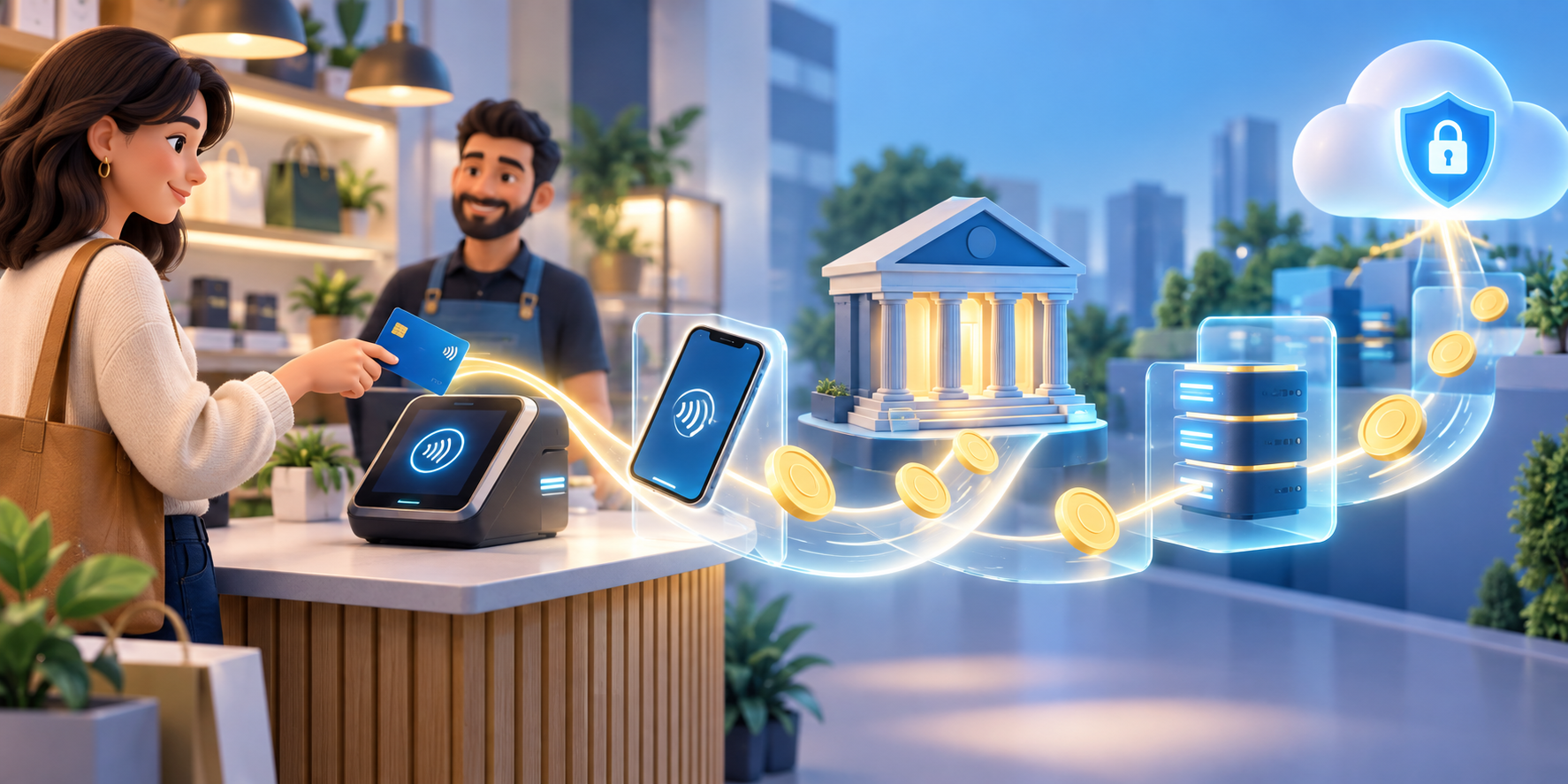
    A tap at a checkout can feel like money has jumped straight from your phone to the shop. In reality, the tap starts a chain of instructions, checks, and records. Understanding that chain helps explain why payments can be fast, why a transaction can be declined, and why the balance in your account changes after the purchase.

    The details vary between countries and payment providers, but the basic idea is consistent: a payment is a transfer of money in exchange for a good or service.

    Step one: choose a payment instrument

    You begin with a payment instrument, such as a debit card, bank payment, or mobile wallet. The instrument is the way you tell the system which account or balance should be used. It is not the same thing as the money itself; it is a way to give an instruction.

    Step two: the shop accepts the instruction

    The merchant uses a terminal or payment gateway to receive the instruction. A physical terminal reads the tap, while an online gateway collects payment details through a digital checkout. The merchant’s system sends the request into the payment network.

    Step three: authorisation checks the request

    Your bank or payment provider checks whether the instruction can be approved. It may check the account balance, security signals, limits, and whether the transaction appears valid. If the request is declined, the payment has not completed even though you may have seen a message on the terminal.

    Step four: clearing prepares the transaction

    After authorisation, clearing passes the transaction information between the relevant institutions. The payment network, your bank, and the merchant’s bank need to agree on what happened and how the transaction should be processed. This is one reason a payment can show as pending before it is final.

    Step five: settlement completes the movement

    Settlement is the stage where the funds are transferred and the transaction is completed in the accounts involved. The Reserve Bank of New Zealand describes the process as instruction, authorisation, clearing, and settlement, with the merchant ultimately receiving funds in its account: How do card payments work?

    Why a digital payment still needs a ledger

    No pile of coins moves through the air when you tap. Instead, records are updated across connected systems. Your account records a debit, the merchant’s records show a sale, and the payment system carries messages that allow the institutions to reconcile the transaction.

    That is why keeping track of digital spending matters. A tap can feel less tangible than handing over cash, but it still reduces the money available for later decisions. Notifications, account statements, and a simple spending log make the invisible movement visible again.

    What a tap can teach you about money

    Digital payment technology makes convenience possible, but convenience is not the same as affordability. Before tapping, check the price, the account you are using, and the trade-off with your current goal. After tapping, make sure the transaction appears as expected and keep your security details private.

    MoneyCQ turns this kind of invisible process into a visible decision. The ledger shows money arriving, leaving, and being reserved for different purposes. The more clearly you can see the path, the easier it is to manage the next choice.

    Sources and further reading

    For a deeper overview of New Zealand’s payment infrastructure, read the Reserve Bank’s payments landscape primer. Payment rules and timing can differ by country and provider.

    FAQs

    Does tapping move physical cash?

    No. It sends an electronic instruction that results in account records and funds being transferred.

    What is authorisation?

    Authorisation is the check by a bank or payment provider to decide whether the payment request can be approved.

    What is clearing?

    Clearing is the process of passing and checking payment information between the institutions involved.

    Why can a payment be pending?

    A pending status can mean the transaction has been authorised but has not yet completed final processing and settlement.

    Why should I watch digital spending?

    Digital payments are convenient but still reduce the money available for future spending, saving, or emergencies.

    What should I do if a tap is declined?

    Check the account, payment method, limits, or security requirements, and use the provider’s official support channel if the problem continues.

  • Money Careers of the Future

    When people hear ‘money careers’, they picture banks and spreadsheets. But financial skills are showing up everywhere — in tech, gaming, climate, healthcare, and entertainment. Understanding money is becoming one of the most transferable skills on the planet.

    Direct money careers

    • Financial planner — helping people make their money match their life goals.
    • Accountant or auditor — tracking, checking, and explaining where money goes.
    • Data analyst — turning numbers into decisions; finance is a data job now.
    • Actuary — pricing risk and uncertainty, from insurance to pensions.
    • Fintech developer — building the apps, wallets, and tools that handle modern money.
    • Economist — understanding how money moves through countries and markets.

    Money-adjacent careers

    Then there are the jobs that aren’t ‘about money’ but are full of it: entrepreneurs running a business, product managers deciding what to build, marketers managing budgets, event planners, logistics coordinators, and even game designers balancing virtual economies. In almost every career, the people who understand costs, value, and trade-offs get further.

    The meta-skill

    Here’s the part that matters for you right now: you don’t need to decide the career yet. The skill itself — understanding value, budgeting, risk, and trade-offs — is the career insurance. It makes you better at whatever you choose, and it’s exactly what CQ measures.

    Skills to build now

    • Numeracy — maths isn’t homework; it’s the language money speaks.
    • Budgeting — even a pocket-money split is real practice.
    • Communication — explaining numbers to other people is a superpower at work.
    • Curiosity about business — ask how things make money: apps, shops, games, services.

    How this lifts your CQ

    Income streams and investment behaviour are two levers of your Cash Quotient — and investing in your own skills is the highest-return investment most people ever make.

    The best career investment isn’t a single job. It’s a skill set that works in every job — and money skills work everywhere.

    Try it in class

    • Pick one money career and research it: what do they do, what do they earn, what skills do they need?
    • Map skills to jobs: write down your current skills and brainstorm ten ways each could earn money.
    • Interview someone with a money-adjacent job — a parent, relative, or local business owner — and report back.

    Want to see how these choices move your score? MoneyCQ is a life-sim where your Cash Quotient rises and falls with decisions just like these. The game is live — build a life and watch your CQ move at app.moneycq.com.

  • Scams, Fakes, and Too-Good-To-Be-True

    If it’s too good to be true, it probably is. That old saying has never been more useful, because scammers now live in the same places you do: messages, games, social media, and email. The good news? Scams have a shape, and once you know the shape, you can spot it from across the room.

    The anatomy of a scam

    Almost every scam follows the same skeleton:

    • An offer that excites you — free money, a prize, a bargain that can’t be real.
    • Urgency — ‘act now’, ‘limited time’, ‘before it’s gone’. Scammers rush you so you don’t think.
    • Secrecy — ‘don’t tell anyone’, ‘keep this between us’. Real offers don’t need secrecy.
    • Payment pressure — gift cards, wire transfers, or crypto, which are almost impossible to get back.

    Common scams to know

    • Phishing — fake messages pretending to be a bank, game, or platform, asking you to ‘verify’ or ‘log in’.
    • Fake prizes — you’ve won something you never entered, and you just need to pay a ‘fee’ to claim it.
    • Get-rich-quick — ‘double your money in a day’ schemes and too-good investments.
    • Fake sellers — amazing deals on goods that never arrive, or arrive as a cheap copy.
    • Impersonation — someone pretending to be a friend or family member in trouble, asking for money fast.

    The red-flag checklist

    If any of these show up, stop and slow down: someone you don’t know asks for money; you’re told to keep it secret; you must pay by gift card, wire, or crypto; the deal is far better than anywhere else; or the message is full of urgency and pressure.

    What to do

    • Stop. Don’t reply, don’t click, don’t pay.
    • Check with a trusted adult. Legit opportunities survive a second opinion; scams don’t.
    • Never send gift cards or money to someone you haven’t verified in person.
    • Report and block. Real platforms want scam reports, and blocking ends the conversation.

    One extra superpower: kids often spot scams faster than adults. Many grandparents have been saved by a grandkid who asked, ‘Why would they give you money for nothing?’ Trust that instinct — and use it.

    How this lifts your CQ

    Financial resilience and risk tolerance are two levers of your Cash Quotient. Spotting a scam doesn’t just protect your money — it protects your confidence, which is part of the score too.

    Scammers don’t hack accounts. They hack urgency, excitement, and trust. Slow down and the trick falls apart.

    Try it in class

    • Spot-the-scam: show real-style examples (with sensitive details changed) and hunt for red flags together.
    • Role-play the ‘friend in trouble’ message and practise the pause-and-verify response.
    • Build a class red-flag poster from examples students have seen or heard about.

    Want to see how these choices move your score? MoneyCQ is a life-sim where your Cash Quotient rises and falls with decisions just like these. The game is live — build a life and watch your CQ move at app.moneycq.com.

  • Microtransactions and the Digital Wallet

    There’s a trick hiding in your pocket. The same game that’s free to download can quietly cost real money — and a digital wallet makes it feel like nothing at all. Spending money you can’t see is different from handing over cash, and understanding that difference is a modern money skill.

    Why digital money disappears faster

    When you hand over a $10 note, you watch it leave. When you tap a button, you see a number change. The purchase feels lighter, quicker, less real — so you do it more often. Psychologists call this the pain of paying: cash hurts a little, and that little bit of pain protects you. Digital payments remove the pain and leave you with only the spending.

    The currency trick

    Many games don’t even ask for dollars. They ask for gems, coins, or points — and you buy those with money, often in awkward bundles. $2.99 here, $9.99 there. The game currency hides the real cost, which is exactly why it exists. The rule is simple: always translate to real dollars in your head before you buy.

    The subscription creep

    Then there are subscriptions: a streaming app here, a music service there, a game pass, a cloud storage plan. Each one is small. Together, unnoticed, they can quietly eat a serious chunk of pocket money every month — and most people never check.

    Three checks before you tap

    • What does it cost in real dollars? Translate every gem, coin, and bundle back to actual money.
    • Would I pay cash for this? If you wouldn’t hand over real notes for it, don’t tap for it.
    • Did I plan it? Planned purchases are fine. Impulse taps are the leak.

    Setting your own guardrails

    Talk with your family about limits: how much per week, which apps are allowed, and whether a pre-paid card or a family budget should be in charge. Guardrails aren’t punishment — they’re how you practise control while the stakes are still small.

    How this lifts your CQ

    Spending habits and lifestyle choices are two levers of your Cash Quotient. Digital money just makes those levers easier to pull by accident — so staying visible to yourself is a genuine advantage.

    Digital money isn’t less real than cash. It’s just easier to spend without noticing — which means you have to notice on purpose.

    Try it in class

    • Convert a list of in-game bundles into real dollars: how many days of pocket money is that skin actually worth?
    • Audit a family’s subscriptions (with permission): add up a month, then a year. The total surprises everyone.
    • Play ‘would you pay cash?’: students see a digital purchase and decide whether they’d hand over physical money for it.

    Want to see how these choices move your score? MoneyCQ is a life-sim where your Cash Quotient rises and falls with decisions just like these. The game is live — build a life and watch your CQ move at app.moneycq.com.